Badminton
Speed Meter.
How fast was that shot?
Estimate shuttle speed from your own video. Choose the impact frame, mark the shuttle, and see the result on your iPhone or iPad.
Free · iOS 16.4+ · English & Simplified Chinese
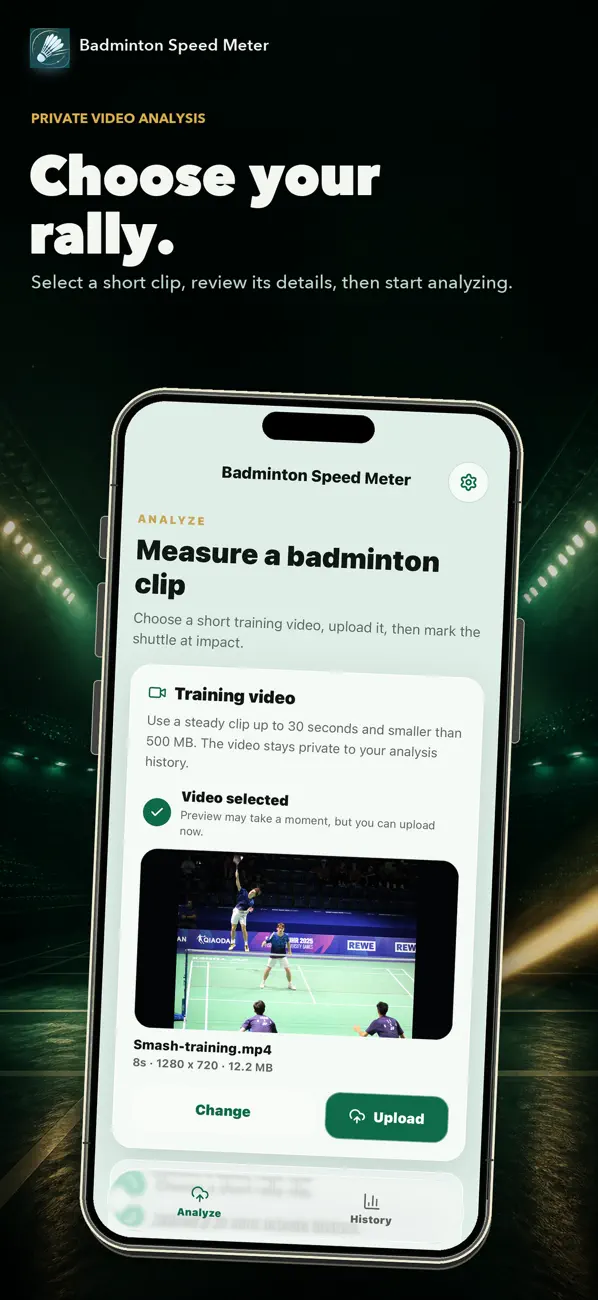
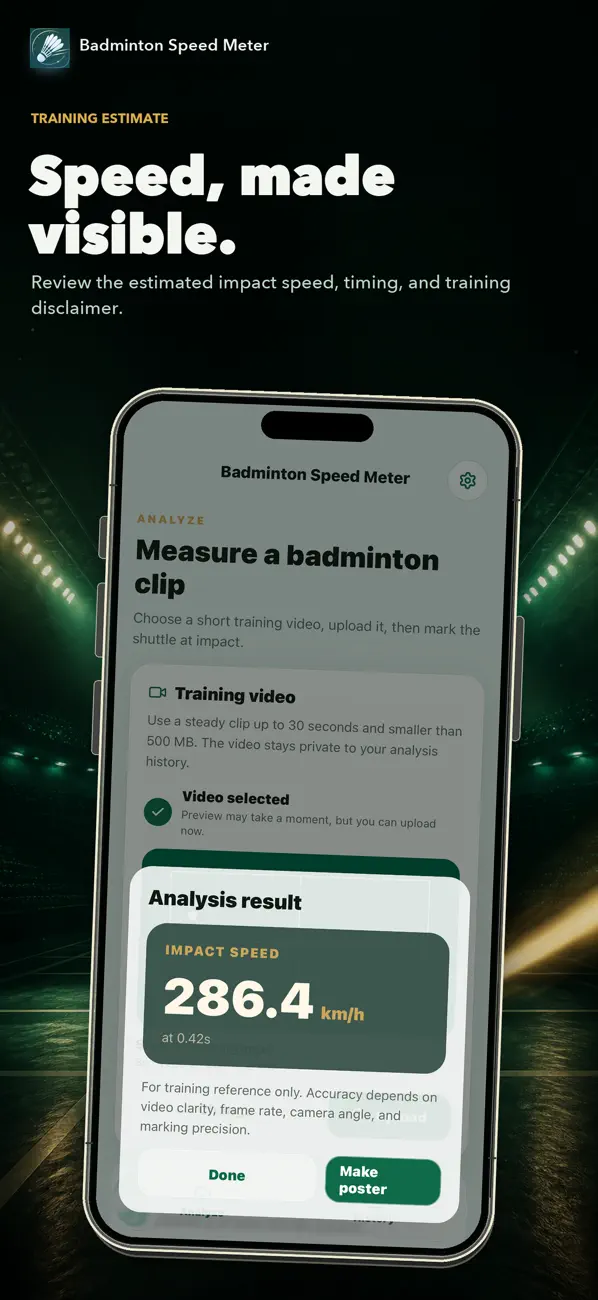
Example results, not certified measurements.
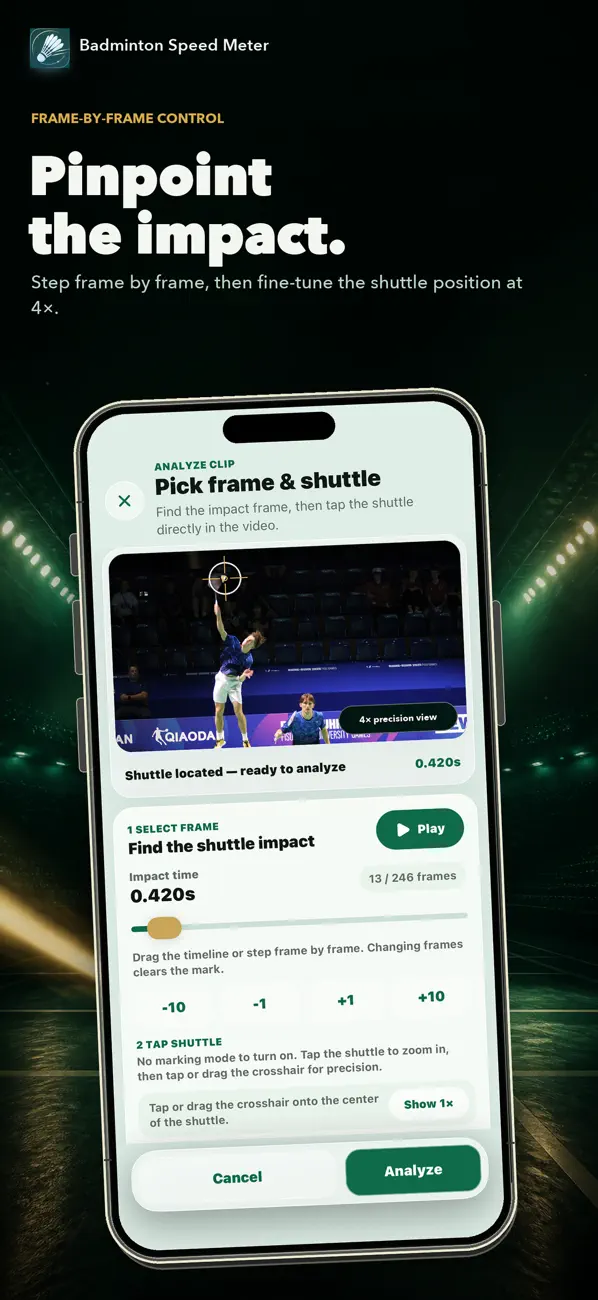
Choose the frame.
Mark the shuttle.
The estimate uses the frame and shuttle position you select.
Choose your clip.
Start with a short, steady video from practice or a match.
Find contact. Mark the shuttle.
Step through the video frame by frame. Use the magnified view to place the marker on the shuttle.
Read the estimate.
Review the speed in km/h, then return to the video from History when you want another look.
After the shot.
Revisit your clips in History or save a result as a poster.
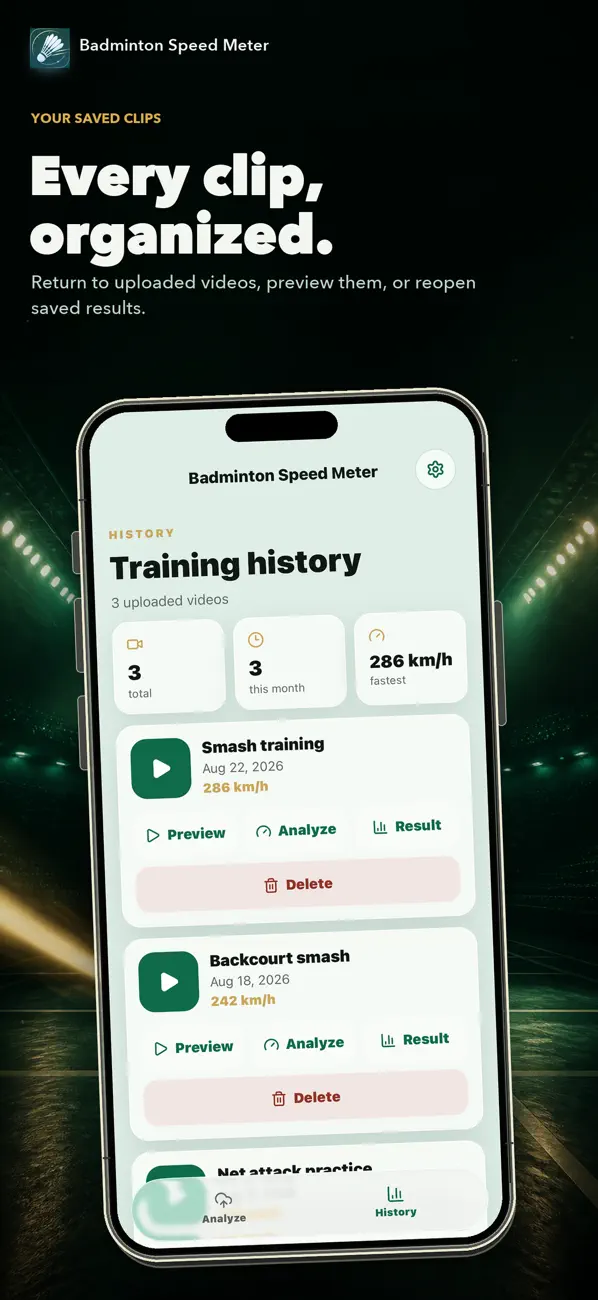
Keep the video with the result.
Reopen a clip, review an earlier analysis, or delete the uploaded video when you no longer need it.
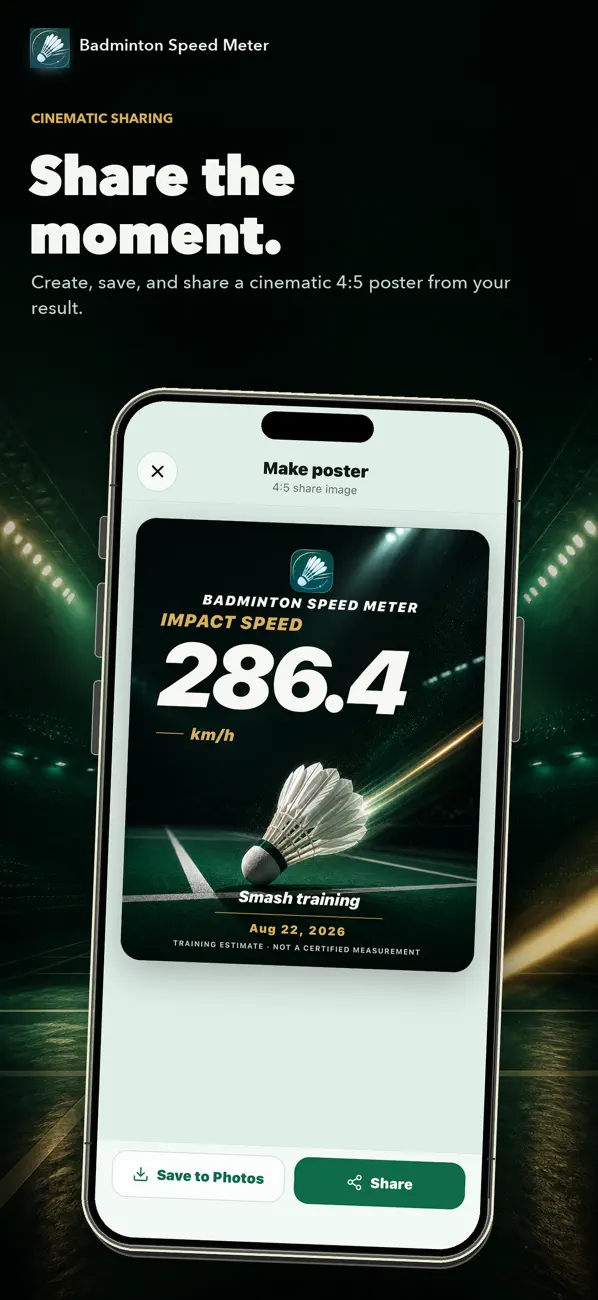
Save or share a poster.
Create a poster to save or share. The training-estimate notice stays part of the image.
Images from the official App Store listing. The values shown are examples, not claims about a typical shot.
It started
after practice.
More about badminton
I wanted to know how fast my shots were, so I built an app to estimate speed from video. You pick the impact frame and mark the shuttle, then save the result with the clip.
Video clarity, frame rate, camera angle, and marking precision all affect the number. This is a training estimate, not a certified measurement.
Analysis is private. No account or public profile is required, and uploaded videos can be deleted from History.

Try it with your next clip.
Free for iPhone and iPad. iOS 16.4 or later.